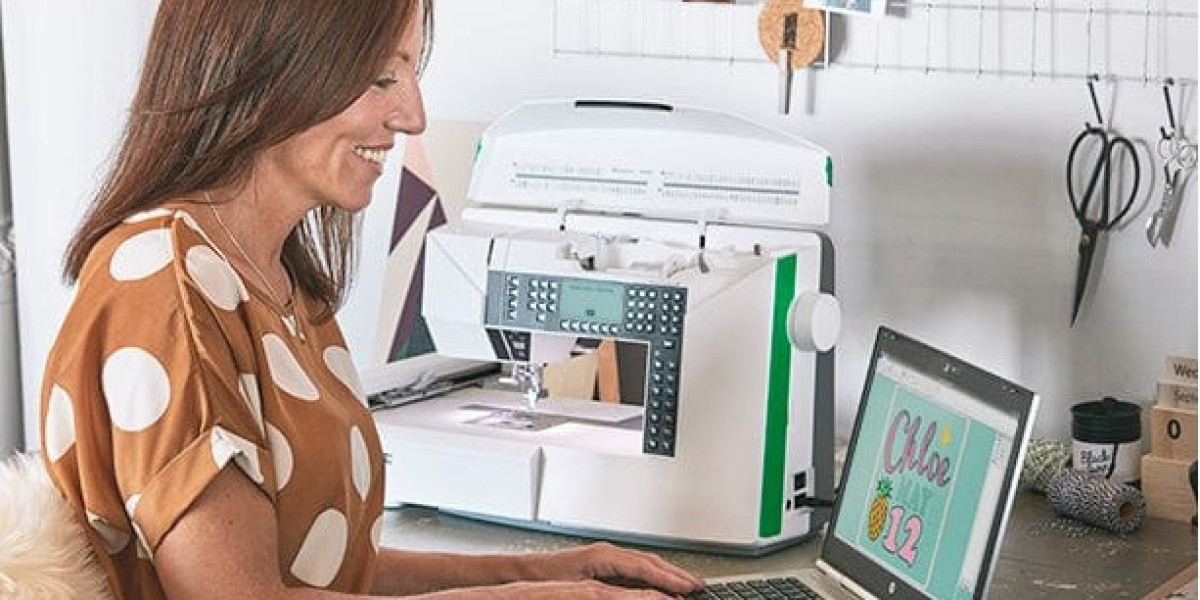

Turning a digital design into embroidery is more than just sending a file to a machine. This is why AI To Embroidery File Conversion is such an essential step. AI files, like those created in Adobe Illustrator, hold precise shapes and color details, but embroidery machines can’t read them directly. Conversion ensures that every curve, line, and color block becomes stitches that work perfectly on fabric. Done correctly, it results in clean, sharp, and durable embroidery.
This guide will explain AI to embroidery file conversion in a simple and friendly way. You’ll learn about stitch types, density, fabric considerations, and how accurate conversion makes your embroidery look professional. Whether you’re a business owner, designer, or embroidery enthusiast, understanding this process will save time and material while improving final results.
What Is AI to Embroidery File Conversion?
AI to embroidery file conversion is the process of translating vector artwork into a stitch-ready file. This file communicates with the embroidery machine and tells it exactly how to sew the design.
Conversion includes:
- Stitch type selection
- Stitch direction
- Stitch order
- Stitch density
Without proper conversion, even the best design will not stitch correctly.
Why Accuracy Matters in Conversion
Accurate conversion ensures:
- Clean shapes
- Sharp text
- Smooth curves
- Minimal thread breaks
Errors in conversion lead to messy stitches, fabric puckering, and wasted materials.
Understanding Stitch Types
Different parts of a design need different stitches.
Running Stitch
Thin lines and small details
Satin Stitch
Ideal for letters, borders, and curves
Fill Stitch
Large areas and solid shapes
Choosing the right stitch type is key to achieving professional embroidery results.
Importance of Stitch Direction
Stitch direction affects texture, shine, and design clarity.
Proper direction:
- Adds depth
- Reduces thread tension issues
- Keeps shapes clean
Incorrect direction can distort curves or make designs look flat.
Stitch Density and Fabric Considerations
Stitch density is how closely stitches are packed. It impacts both durability and appearance.
Too dense:
- Fabric becomes stiff
- Puckering occurs
Too loose:
- Gaps appear
- Design looks weak
Density should be adjusted according to fabric type, such as cotton, polyester, or caps.
Manual vs Auto Conversion
Some software offers auto conversion, but results vary.
Auto Conversion
- Quick
- Less control
- Risk of messy stitches
Manual Conversion
- Skilled and precise
- Clean stitch paths
- Detailed control
Manual conversion ensures quality and reliability.
Handling Small Text and Fine Details
Small text and intricate shapes are tricky. Good conversion:
- Adjusts stitch width
- Modifies spacing
- Simplifies overly complex shapes
This keeps everything readable and clear.
File Testing Before Production
Testing is essential. It helps:
- Catch stitch issues
- Adjust density
- Fix paths or sequence errors
Testing prevents wasted thread and fabric.
Preparing AI Files for Conversion
Providing proper artwork improves the result. Include:
- High-resolution AI files
- Final design size
- Fabric type
- Machine compatibility
Clear input leads to faster, more accurate conversion.
Benefits of Accurate AI to Embroidery Conversion
Accurate conversion delivers:
- Smooth curves
- Balanced stitches
- Consistent results
- Longer-lasting embroidery
It also minimizes production problems and saves time.
Conversion for Business Branding
Businesses need consistent embroidery on uniforms, hats, and merchandise. Proper AI to embroidery conversion ensures:
- Branding consistency
- Professional appearance
- Reliable reproduction across products
This builds trust and recognition for your brand.
Bulk Orders and Conversion Stability
For bulk embroidery, stable files are essential. Properly converted designs:
- Reduce machine stops
- Keep results uniform
- Speed up production
Consistency is critical for large runs.
Experience Makes the Difference
AI to embroidery conversion requires skill. Experienced digitizers understand:
- How fabrics behave
- Thread and machine limitations
- Optimal stitch sequences
This knowledge guarantees professional-quality embroidery every time.
Quality Control in Conversion
A professional conversion process includes:
- Reviewing stitch paths
- Checking stitch density
- Verifying stitch order
- Testing on sample fabrics
These steps ensure designs stitch correctly from the first try.
Saving Time and Reducing Costs
Accurate conversion reduces errors and waste. It:
- Minimizes thread breaks
- Protects fabric
- Reduces machine downtime
- Avoids rework
A properly converted file can be reused multiple times without issue.
Final Thoughts
AI to embroidery file conversion is the foundation of sharp, durable, and professional embroidery. Perfect stitch control ensures your designs remain clean, readable, and long-lasting across various fabrics and products.
For businesses and creators seeking reliable, affordable, and high-quality AI to embroidery conversion, Digitizing Buddy provides expert services that deliver accurate stitch paths, perfect density, and smooth production every time.