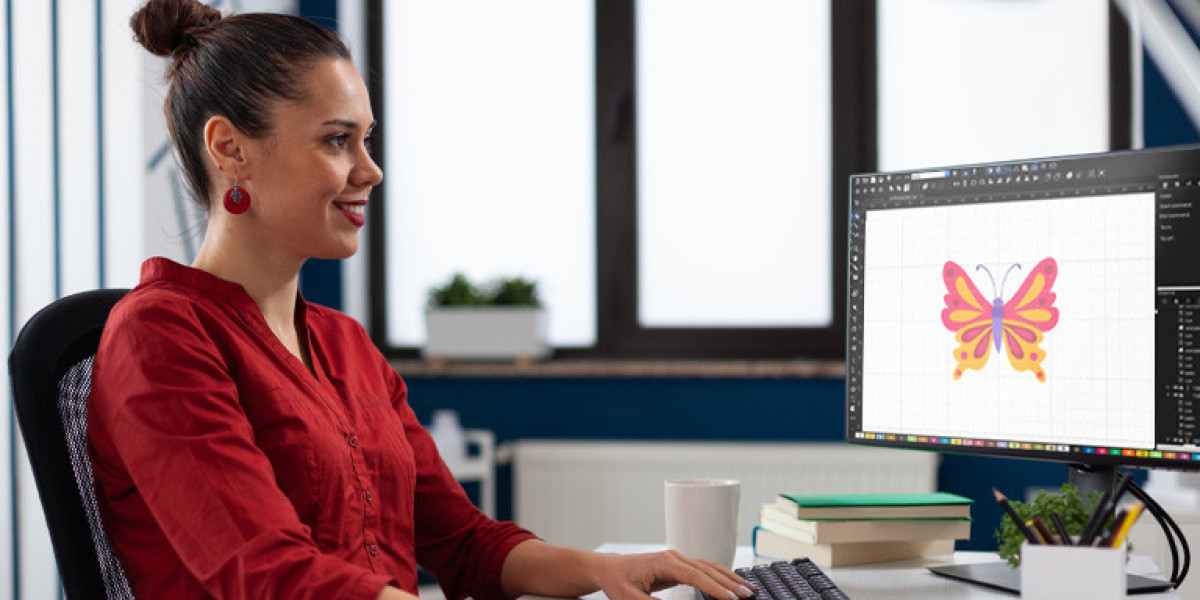

Let’s be honest: the world of embroidery digitizing can feel like it has its own secret language. You have your stunning logo or design sitting there as a JPG, a universal language everyone understands. But to make that jump from a flat image on a screen to a textured, stitched masterpiece on fabric, you need to speak the machine’s tongue. That’s where the DST file comes in. As the decades-old, globally accepted format for commercial embroidery machines, getting your design into a DST file is the final, critical step. And the big question on everyone’s mind is: what’s the best way to bridge that gap? We’re diving into the trending tools and methods to seamlessly convert JPG to DST in today’s fast-paced market.
Gone are the days when your only option was to mail a physical drawing to a digitizer and wait weeks. The digital revolution has brought a spectrum of solutions right to your desktop, each with its own pros, cons, and ideal user. Whether you’re a hobbyist starting an Etsy shop, a small business owner creating team gear, or a procurement manager for a large corporation, understanding these tools is key to getting professional results without unnecessary headaches.
The Undisputed Heavyweight: Professional Digitizing Software
When we talk about power and precision in the embroidery world, professional digitizing software remains the gold standard. Think of names like Wilcom Hatch, Brother PE-Design, or Pulse. These are the tools used by career digitizers and large-scale embroidery operations.
These aren’t simple “convert and go” buttons. They are sophisticated design suites that give you complete control over every single stitch. You can manually trace your JPG, assigning complex stitch types, adjusting densities for different fabrics, planning the precise needle path, and adding underlay for stability. The learning curve is significant—this is akin to learning graphic design from the ground up. The output, however, is a flawless, production-ready DST file optimized for your specific application.
The trend here is accessibility. Companies like Wilcom now offer Hatch as a more affordable, subscription-based model, bringing this professional power within reach of serious hobbyists and small businesses. If embroidery is core to your operation and you demand perfection, investing time and resources into mastering this category of tool is the ultimate path.
The Rising Contender: AI-Powered & Automated Online Converters
This is where the industry is seeing the most buzz and rapid evolution. A new wave of online platforms promises to “instantly convert your JPG to DST” using artificial intelligence and automation. You upload your image, the algorithm analyzes it, and in minutes, you can download a DST file.
The appeal is obvious: speed, convenience, and often a very low cost per file. For simple, graphic-based designs with clear color boundaries, these tools can produce a surprisingly decent starting point. They’ve become a popular trending topic for those needing a quick turnaround on uncomplicated projects.
But here’s the crucial caveat: they lack the human touch. The AI can’t strategize for tricky elements like small text, subtle gradients, or complex shading. It might choose an inefficient stitch path or incorrect density, leading to thread breaks or puckered fabric when the design runs on an actual machine. The trend is moving toward these platforms offering “professional touch-up” services for an added fee, blending AI speed with human expertise.
The Hybrid Model: Online Marketplace Digitizing Services
Perhaps the most practical trend for businesses is the proliferation of online digitizing marketplaces. Websites like these connect you with a global network of human digitizers. You upload your JPG, specify your needs (garment type, size, etc.), and receive a quote. A professional digitizer, using the heavyweight software we mentioned earlier, manually creates your DST file.
This model beautifully balances quality, expertise, and convenience. You’re not paying for expensive software you’ll use once a month; you’re paying for a skilled artisan’s time. You get a file that’s been crafted with an understanding of stitch physics, which means fewer production errors and a superior final product. The trend here is toward faster turnaround times, transparent pricing, and robust revision policies, making it a reliable, go-to solution for everyone from startups to established brands.
The Community Favorite: Open-Source and Freemium Options
For the tinkerers and the budget-conscious, the world of free and open-source software offers some intriguing possibilities. Programs like Ink/Stitch, an extension for the free graphic software Inkscape, have cultivated dedicated communities.
Ink/Stitch allows you to take vector paths created in Inkscape and generate stitch data, ultimately exporting as a DST. It’s powerful in the right hands, but it requires you to already understand vector graphics and have a patient, DIY mindset. It’s less about converting a JPG directly and more about manually rebuilding and coding the design for embroidery. The trend in this space is community-driven improvement, with users sharing plugins and tutorials. It’s a fantastic educational tool to understand digitizing principles, though it may not be efficient for high-volume or complex commercial work.
Choosing Your Path in a Stitched Digital World
So, with all these tools trending, how do you choose? It boils down to a simple triangle: Cost, Quality, and Speed. You can realistically pick two.
If you need top Quality and Speed, and Cost is secondary, the hybrid online service is your best bet. If Cost is your primary concern and you have time for a learning curve (Quality), then exploring professional software or open-source tools could work. If you need Speed and low Cost for a very simple design, an automated converter might be a risky but possible test.
The enduring truth in the embroidery industry is that a JPG is a picture, but a DST file is a blueprint for manufacturing. The most reliable trend isn’t a specific tool, but a smarter approach: using automated solutions for inspiration or ultra-simple tasks, and relying on skilled human digitizers—either in-house or through a service—for the designs that truly represent your brand. Your embroidery is a tactile representation of your quality; the tool you choose to make that conversion should reflect that same standard.